# Restricted Targets

To prevent abuse and ensure the compliant use of our proxy services, Talordata has implemented access restrictions for certain websites. This section outlines our restricted website categories and how to request unblocking for approved use cases.

\
Access to certain websites via our dynamic residential proxy network may be restricted to prevent misuse. Restricted categories include, but are not limited to::

<table><thead><tr><th>Category</th><th width="417">Examples</th></tr></thead><tbody><tr><td>Gambling &#x26; Betting</td><td>All online betting/gambling platforms</td></tr><tr><td>Banking &#x26; Payment</td><td>Major banks (e.g., Citibank), payment gateways</td></tr><tr><td>Cryptocurrency</td><td>ETH/BTC/BNB trading platforms, crypto wallets</td></tr><tr><td>Government Portals</td><td>*.gov domains (e.g., columbus.gov), official government sites</td></tr><tr><td>Military &#x26; Defense</td><td>*.mil domains, military-related platforms</td></tr><tr><td>Instant Messaging</td><td>WhatsApp, Telegram (public channels)</td></tr><tr><td>IP Detection</td><td>ipinfo.io, <a href="https://whoer.net">whoer.net</a>, <a href="https://ip-api.com">ip-api.com</a></td></tr></tbody></table>

**Unblocking Request**

Access to some restricted targets can be granted after completing real-name verification and submitting a request within the platform. You may also contact customer support for further assistance.

If you need to perform IP detection, please submit an application within the platform or contact our official team at **<support@talordata.com>** to confirm access permissions and ensure normal usage.

**Restricted Target List Query Portal**

<figure><img src="/files/UhFVSocuLmXTYPlCT8Ed" alt=""><figcaption></figcaption></figure>

<figure><img src="/files/ezePKtYA8qofR0eRawVF" alt=""><figcaption></figcaption></figure>

**Application Steps：**

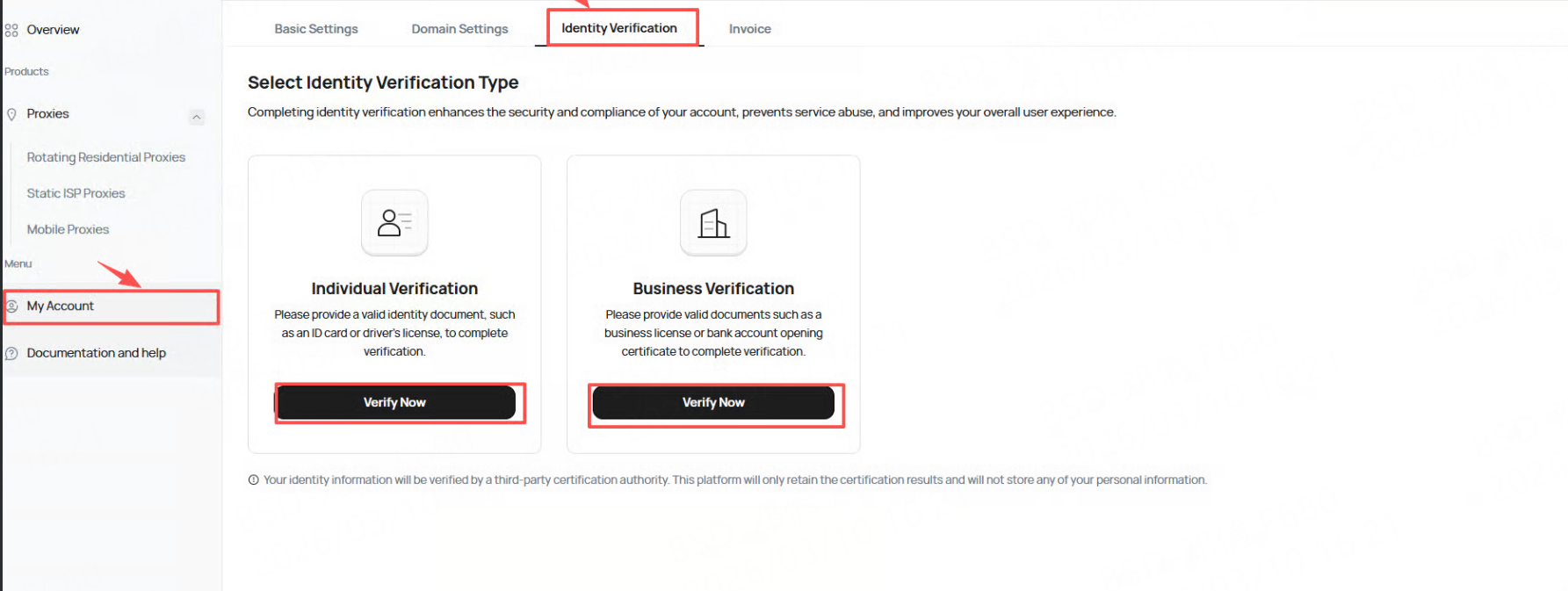
1、**Identity verification** must be completed before applying for a domain name. Click **"My Account"** > **"Identity Verification"** to proceed with either individual or business verification (completing either one is sufficient).

<figure><img src="/files/VAzDamoETRYYhoI841KB" alt=""><figcaption></figcaption></figure>

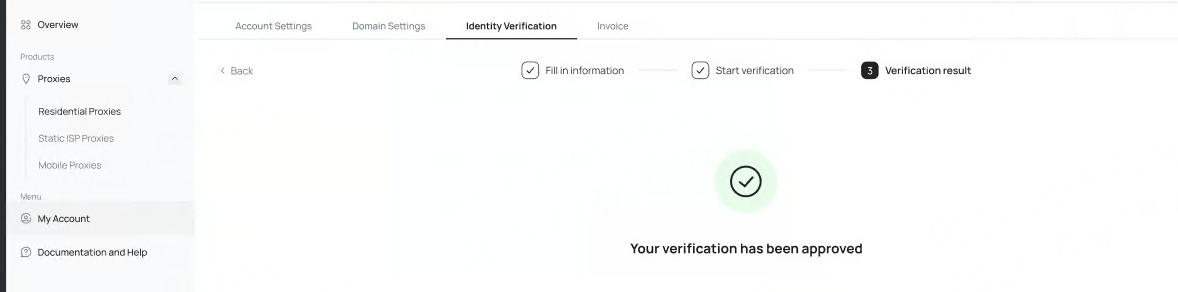
2、Click **"Verify Now"** and follow the instructions to complete the identity verification process.

<figure><img src="/files/ubGyeuhItOJBp6l4NZhH" alt=""><figcaption></figcaption></figure>

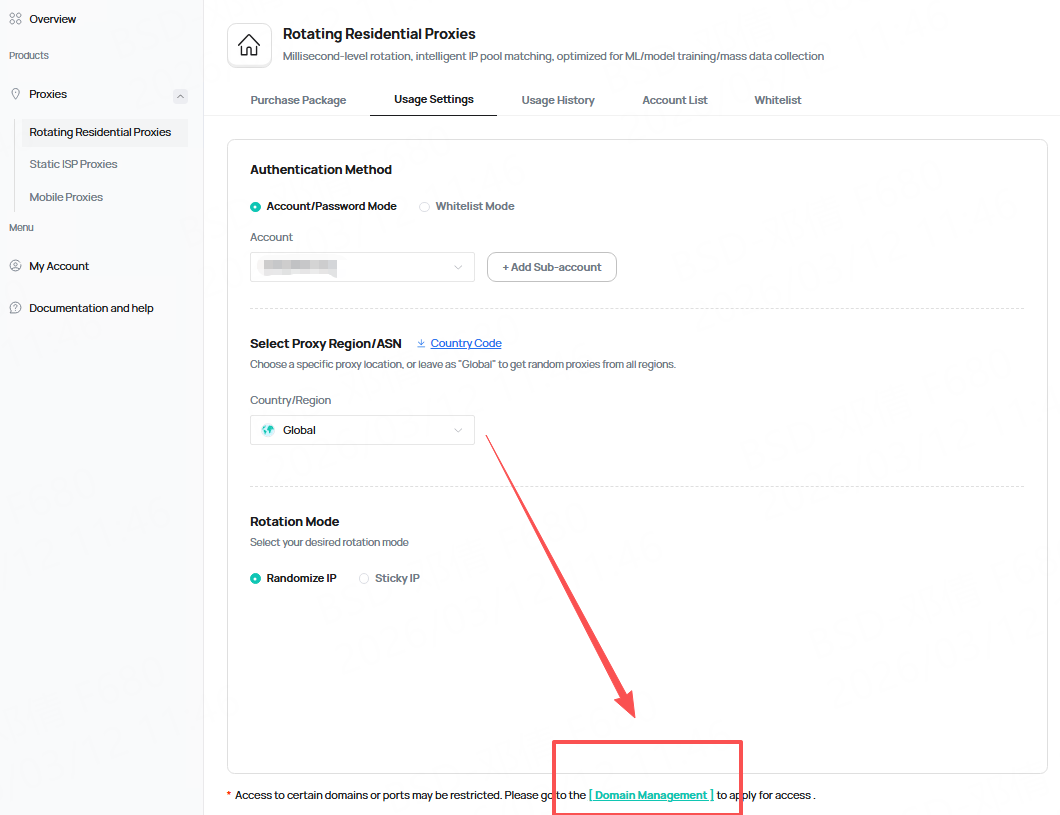
**3、**&#x53;elect the desired package, and the **domain management** entry can be found under the usage settings

<figure><img src="/files/dKpLHseWt9atYg6Pp7Ta" alt=""><figcaption></figcaption></figure>

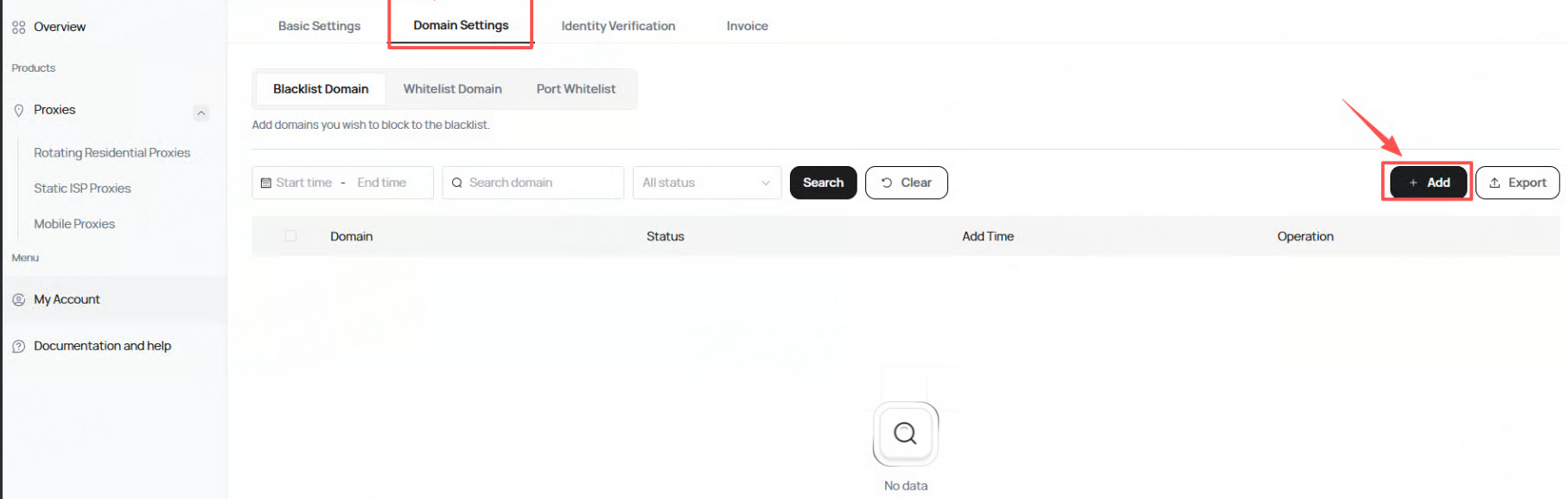
4、Navigate to the **domain settings** and **click "Add"**

<figure><img src="/files/hXf1bfHWxK0Dc09Xy8VJ" alt=""><figcaption></figcaption></figure>

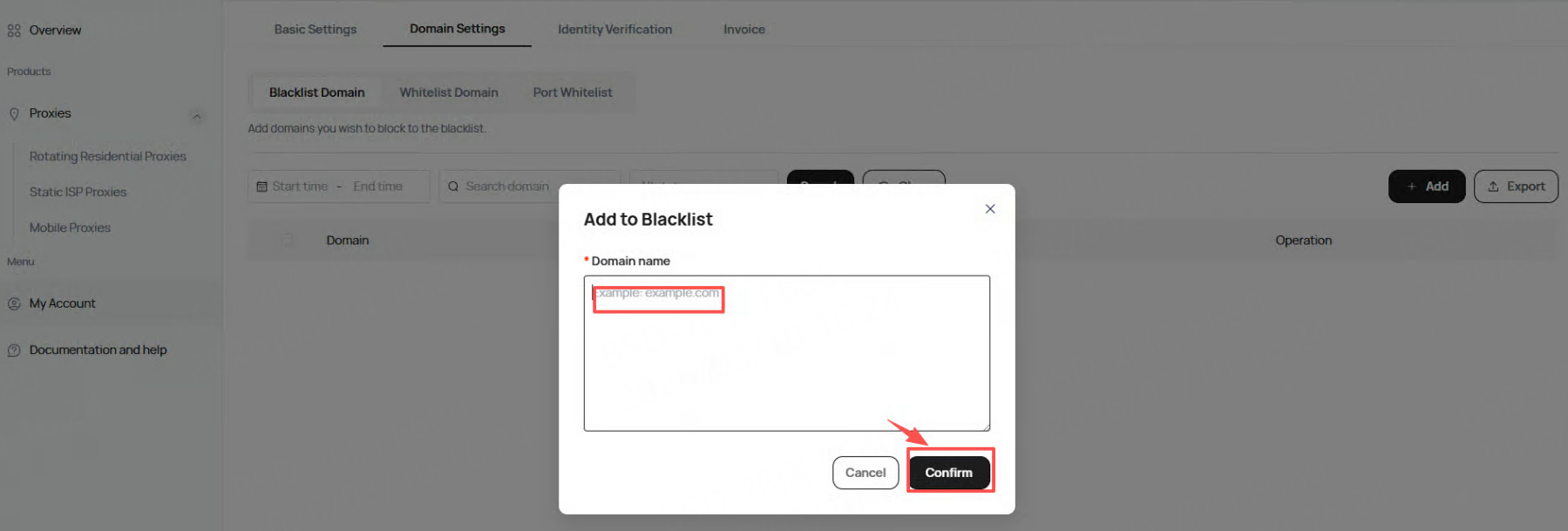
5、Enter the domain name you wish to access and click **"Confirm".**

<figure><img src="/files/uETSGBINQfrM6kH0Oqva" alt=""><figcaption></figcaption></figure>

After submission, wait for staff approval. Once approved, the restricted domain name will be accessible.


---

# Agent Instructions
This documentation is published with GitBook. GitBook is the documentation platform designed so that both humans and AI agents can read, navigate, and reason over technical content effectively. Learn more at gitbook.com.

## Querying This Documentation
If you need additional information that is not directly available in this page, you can query the documentation dynamically by asking a question.

Perform an HTTP GET request on the current page URL with the `ask` query parameter:

```
GET https://docs.talordata.com/help/restricted-targets.md?ask=<question>
```

The question should be specific, self-contained, and written in natural language.
The response will contain a direct answer to the question and relevant excerpts and sources from the documentation.

Use this mechanism when the answer is not explicitly present in the current page, you need clarification or additional context, or you want to retrieve related documentation sections.
