> For the complete documentation index, see [llms.txt](https://docs.talordata.com/llms.txt). Markdown versions of documentation pages are available by appending `.md` to page URLs; this page is available as [Markdown](https://docs.talordata.com/proxy/static-isp-proxies/usage-tutorial.md).

# Usage Tutorial

Follow the Talordata static proxy usage tutorial to configure proxy details, authenticate requests, and verify stable connectivity.

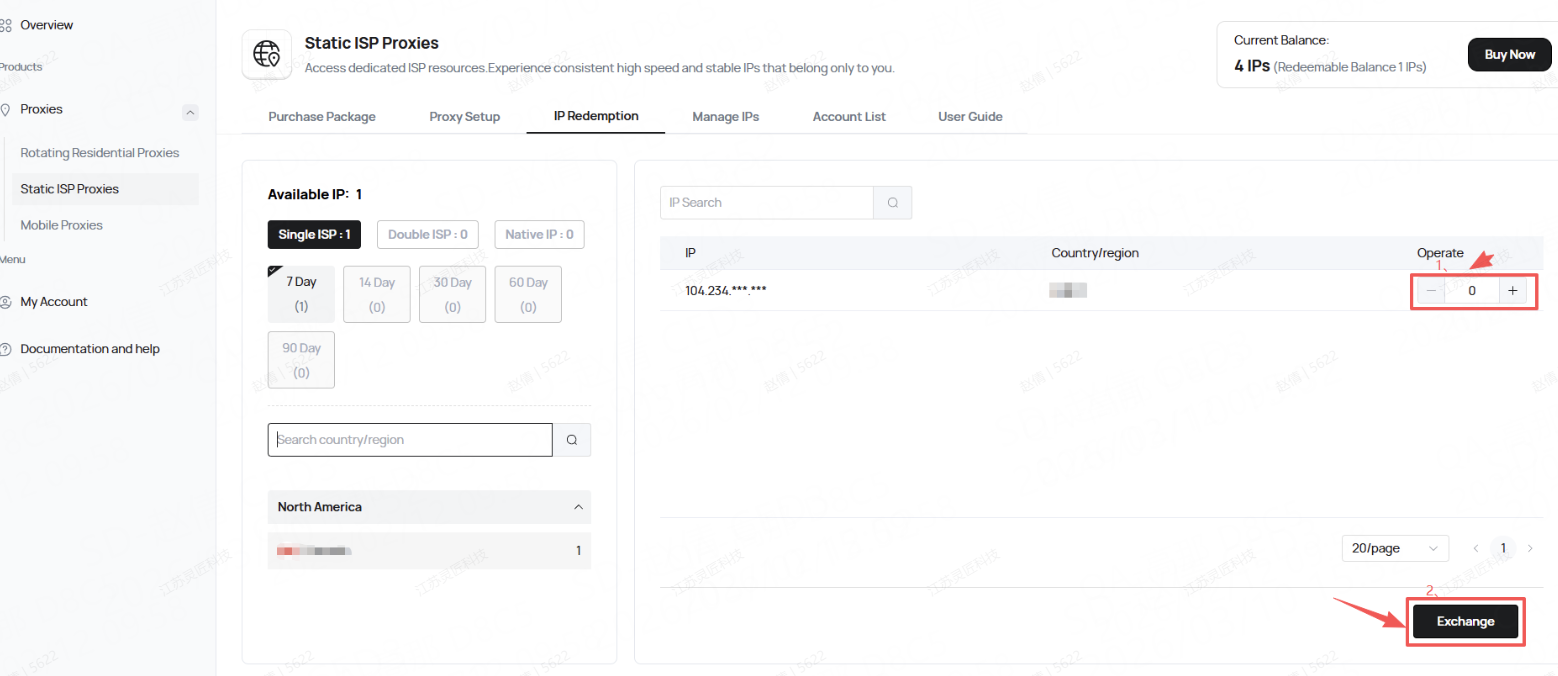
1. After purchasing a static ISP, go to the IP Redemption page to redeem your ISP.

<figure><img src="https://1563576391-files.gitbook.io/~/files/v0/b/gitbook-x-prod.appspot.com/o/spaces%2F8nDscYLNSmSnujUsW4Dv%2Fuploads%2FTtQ9H75H93rODeRJP5Qs%2Fimage.png?alt=media&amp;token=b274ac2e-8822-4450-89ab-5c2d34daf935" alt=""><figcaption></figcaption></figure>

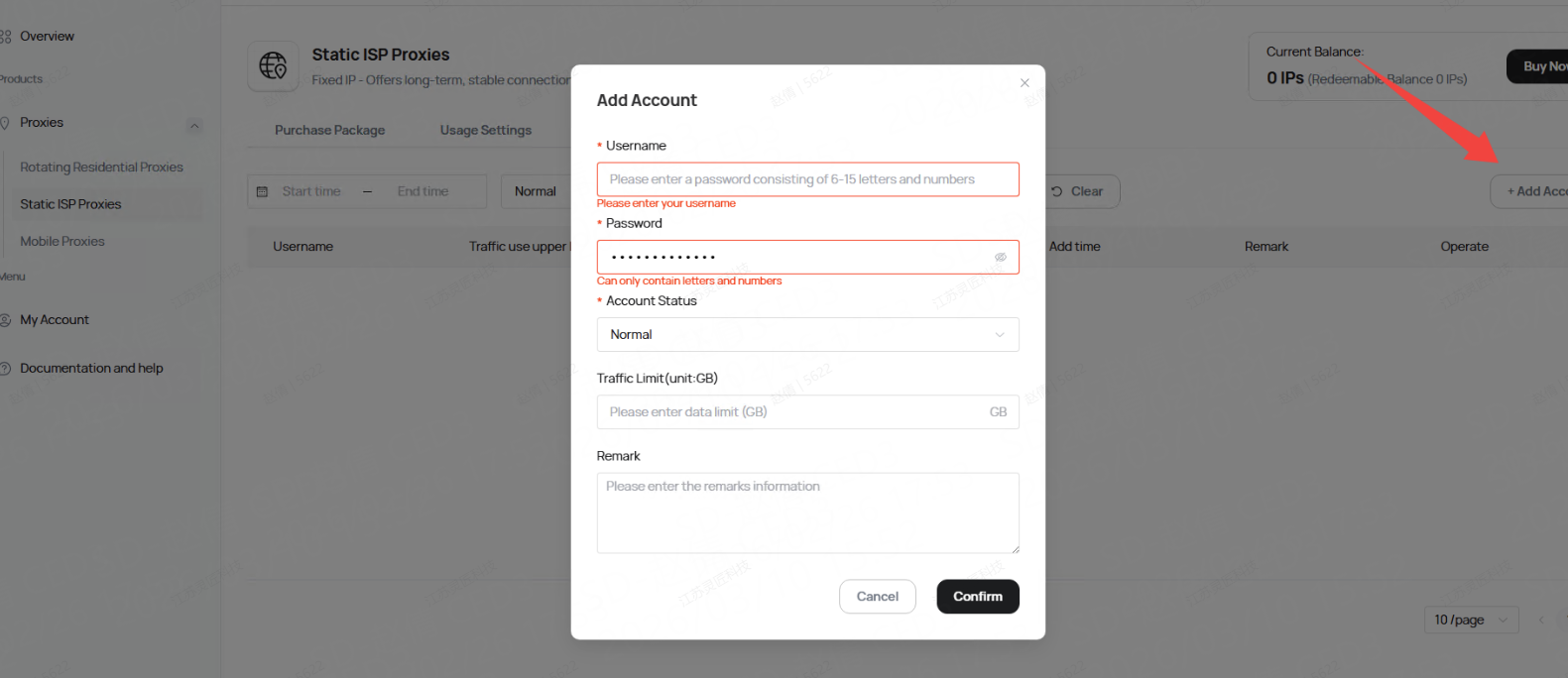
2.Go to the Account List page and create a sub-account.

<figure><img src="https://1563576391-files.gitbook.io/~/files/v0/b/gitbook-x-prod.appspot.com/o/spaces%2F8nDscYLNSmSnujUsW4Dv%2Fuploads%2FPFyb3kVdw7BaOXgKciM9%2Fimage.png?alt=media&amp;token=eaf7445a-217b-43dd-8740-d12901c2ee7f" alt=""><figcaption></figcaption></figure>

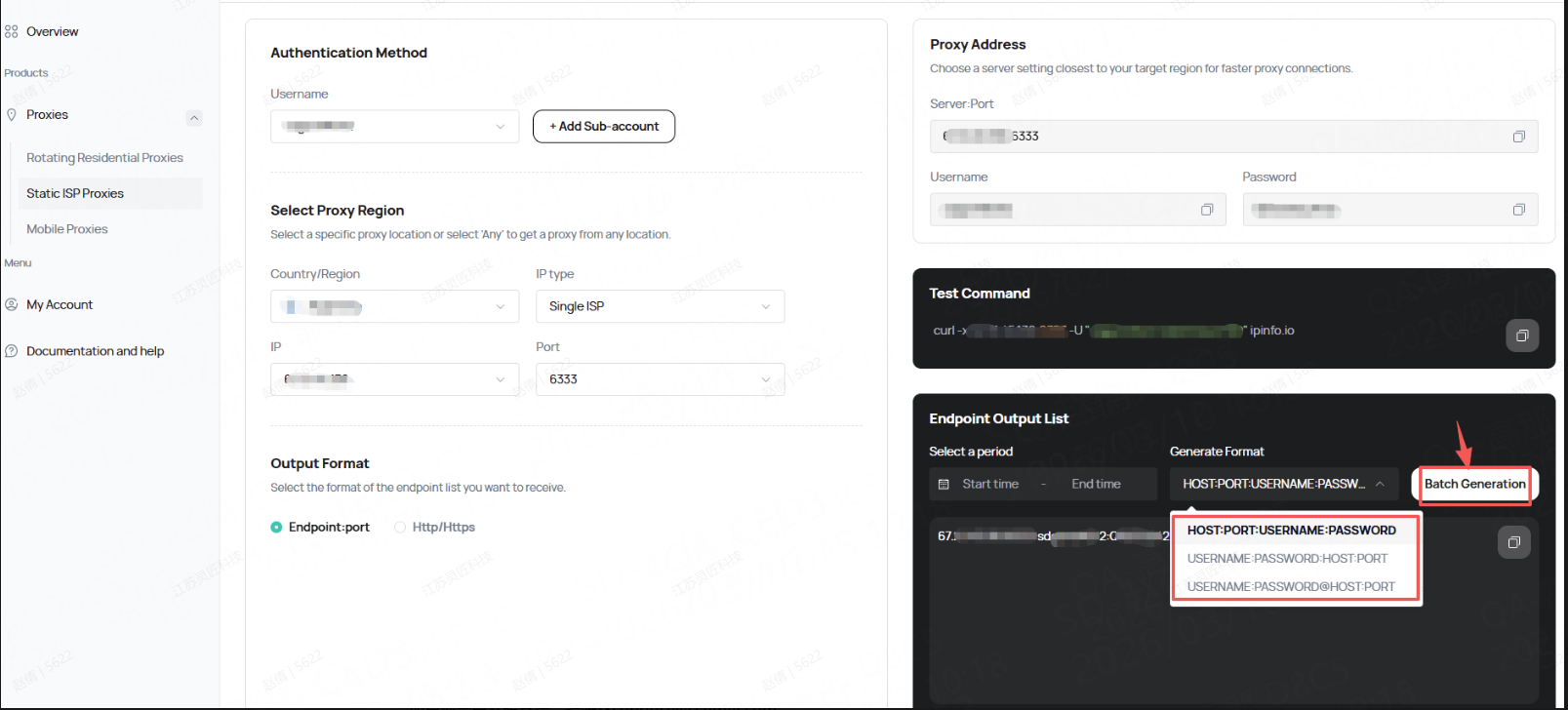
3.Then, you can go to the Usage Settings page to get the complete proxy IP connection and curl test commands.

<figure><img src="https://1563576391-files.gitbook.io/~/files/v0/b/gitbook-x-prod.appspot.com/o/spaces%2F8nDscYLNSmSnujUsW4Dv%2Fuploads%2FMbrTxtGfStLMWkjl4inN%2Fimage.png?alt=media&amp;token=688da9e3-6cf3-40b4-8f16-4203998c7dfa" alt=""><figcaption></figcaption></figure>

For customer support, please contact  <mark style="color:$success;">**<support@talordata.com>**</mark>.