> For the complete documentation index, see [llms.txt](https://docs.talordata.com/llms.txt). Markdown versions of documentation pages are available by appending `.md` to page URLs; this page is available as [Markdown](https://docs.talordata.com/proxy/rotating-residential-proxies/usage-history.md).
# Usage History
Stay informed about your Rotating Residential Proxy traffic usage details to ensure uninterrupted service and efficiently manage resources.
Visit Talordata to log in to your dashboard. Navigate to Proxies on the left→ Rotating Residential Proxies → Usage History.
* **Total Traffic:**
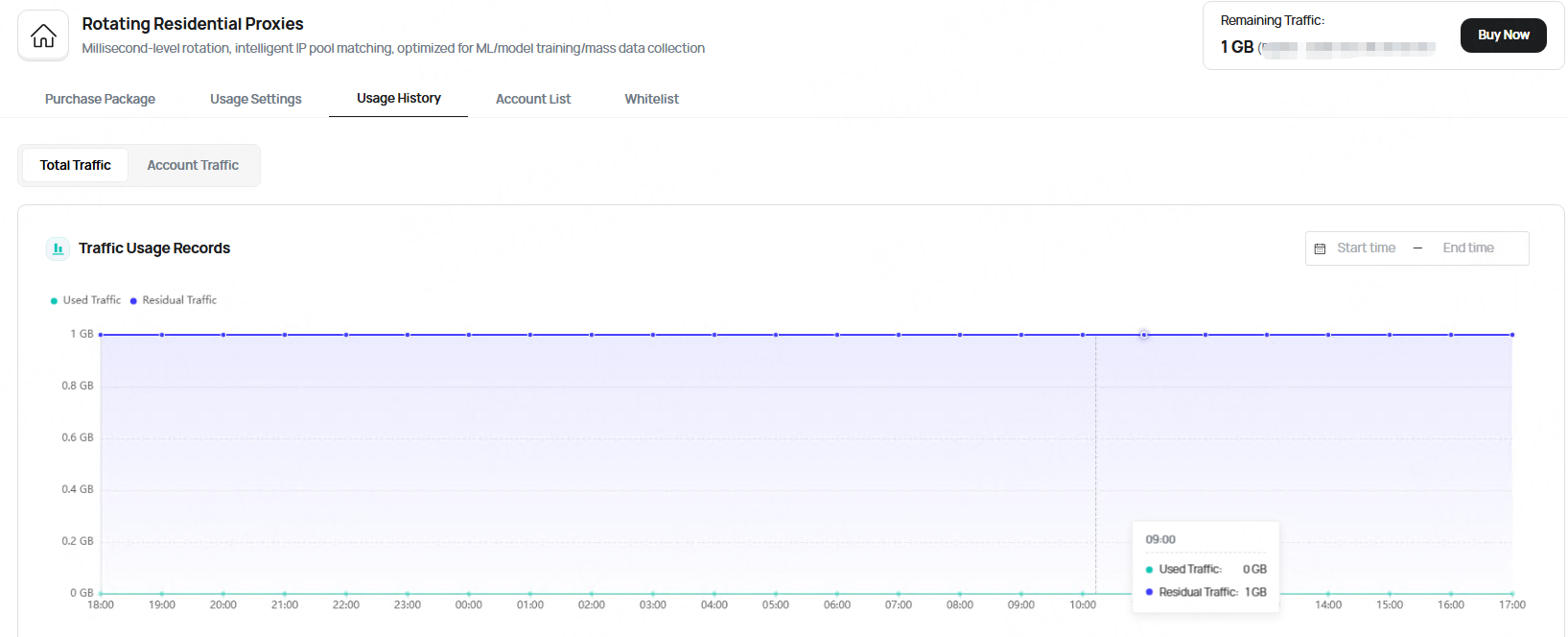
By default, displays your account's **traffic usage details** over the past 24 hours. Visualize daily data consumption trends at a glance.
You may also select a start-end date range to view daily data consumption.
You can see both used and remaining traffic.
* **Account Traffic:**
This section displays **traffic usage for each sub-account**.
Select the sub-account you wish to view. By default, it shows traffic usage details for your sub-account within a 24-hour period.
You may also select a start-end date range to view daily data consumption.