> For the complete documentation index, see [llms.txt](https://docs.talordata.com/llms.txt). Markdown versions of documentation pages are available by appending `.md` to page URLs; this page is available as [Markdown](https://docs.talordata.com/proxy/static-isp-proxies/usage-tutorial.md).
# Usage Tutorial
Follow the Talordata static proxy usage tutorial to configure proxy details, authenticate requests, and verify stable connectivity.
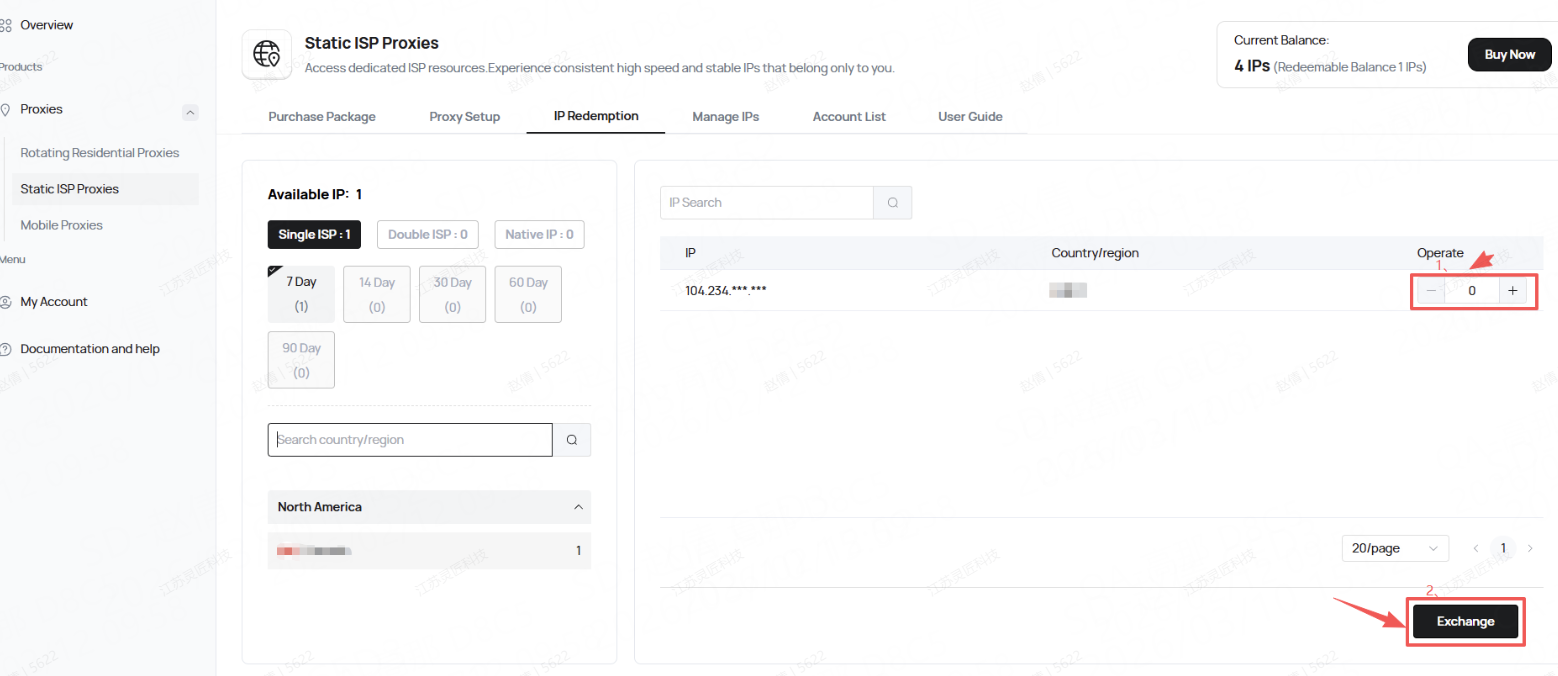
1. After purchasing a static ISP, go to the IP Redemption page to redeem your ISP.
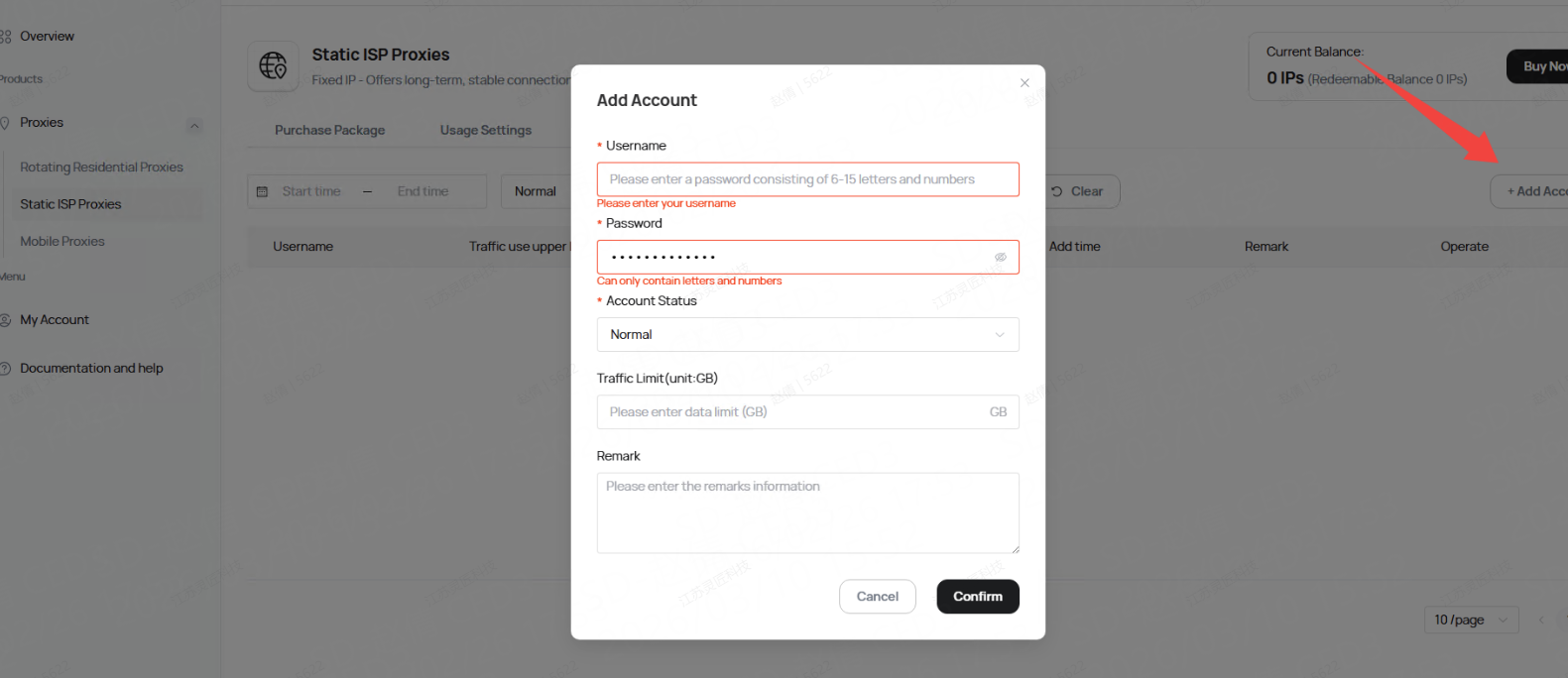
2.Go to the Account List page and create a sub-account.
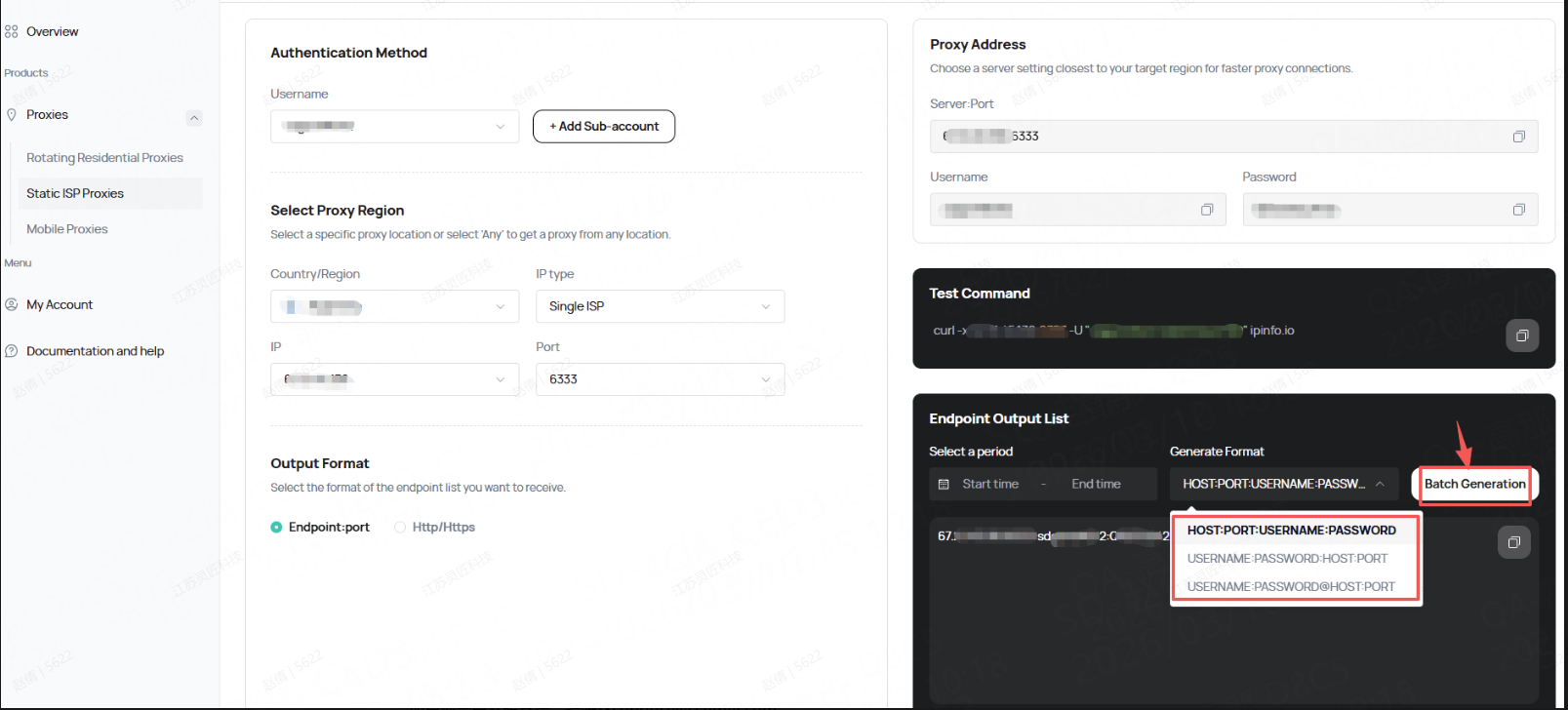
3.Then, you can go to the Usage Settings page to get the complete proxy IP connection and curl test commands.
For customer support, please contact ****.